




A Step-by-Step Guide to Pairing Your Cell Phone to Mazda Bluetooth
How to Pair Your iPhone or Android to Bluetooth in a Mazda
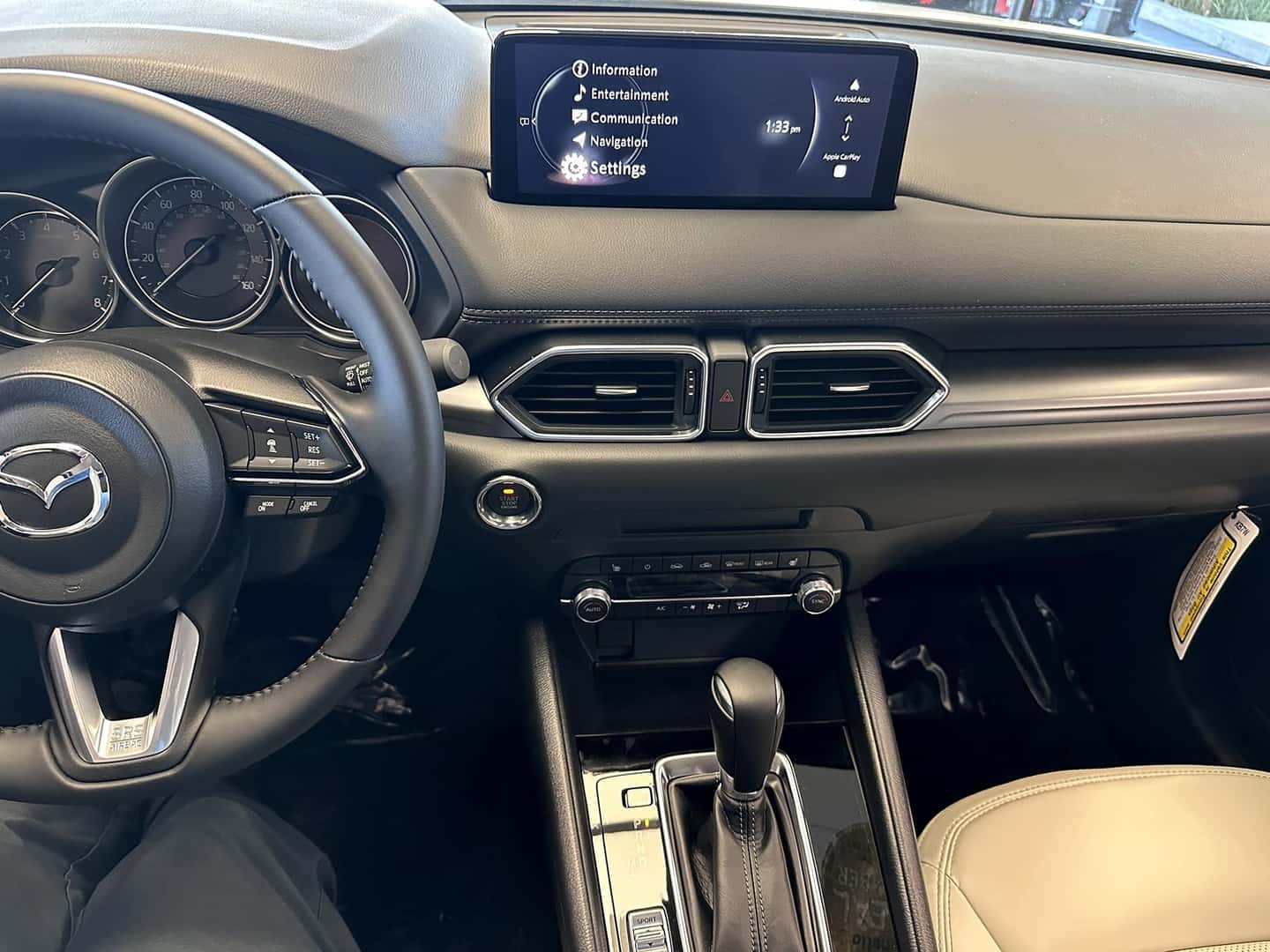
Learn how to connect your smartphone to Bluetooth in Mazda vehicles like the CX-5, CX-30, CX-50, Mazda3, CX-90, and CX-70. Step-by-step guidance from Hello Mazda of Temecula.
How Do You Pair a Phone to Bluetooth in a Mazda?
Pairing your smartphone to Bluetooth in a Mazda is quick and intuitive. Whether you drive a Mazda CX-5, CX-30, CX-50, Mazda3, CX-90, CX-70, or most recent Mazda models, the pairing process is nearly identical thanks to Mazda’s consistent infotainment design.
At Hello Mazda of Temecula, we frequently help drivers set up Bluetooth so they can enjoy hands-free calls, wireless audio streaming, and seamless Apple CarPlay® or Android Auto™ integration.
Step-by-Step: Pairing an iPhone to Mazda Bluetooth
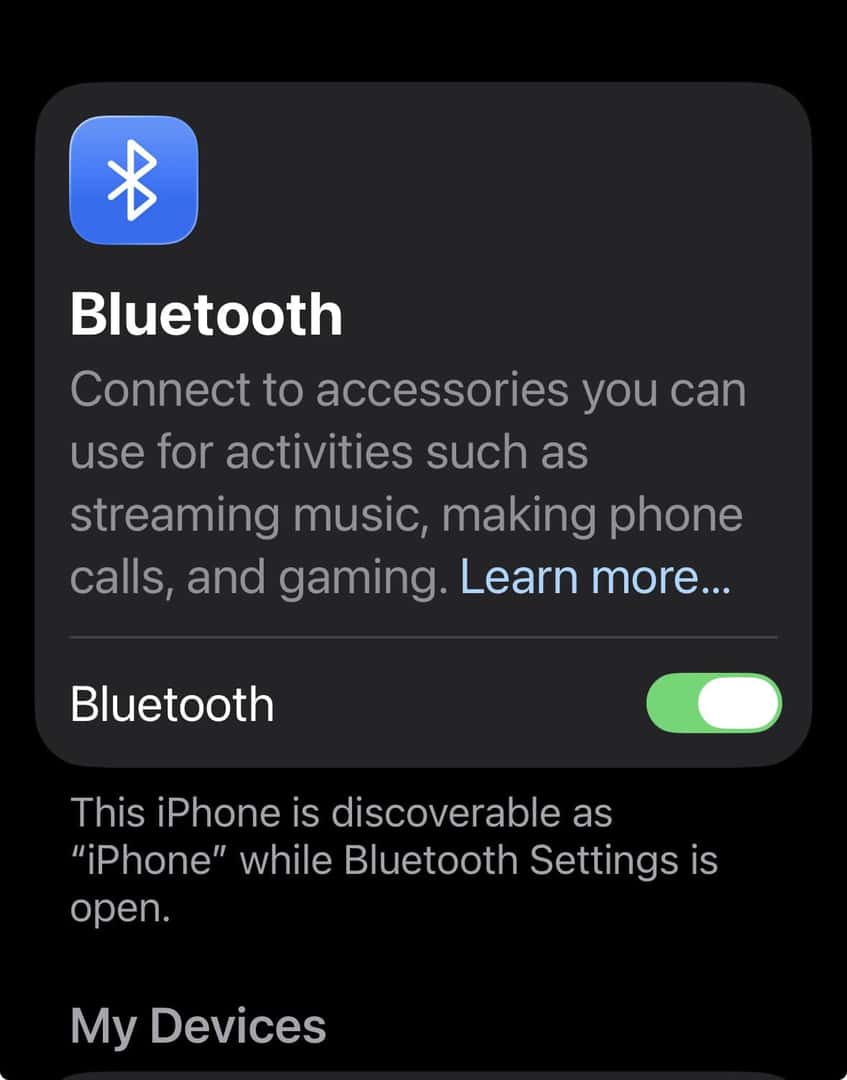
1. Enable Bluetooth on Your iPhone
- Open Settings
- Select Bluetooth
- Turn Bluetooth ON
2. Access Bluetooth Settings in Your Mazda
- Turn the vehicle on (or accessory mode)
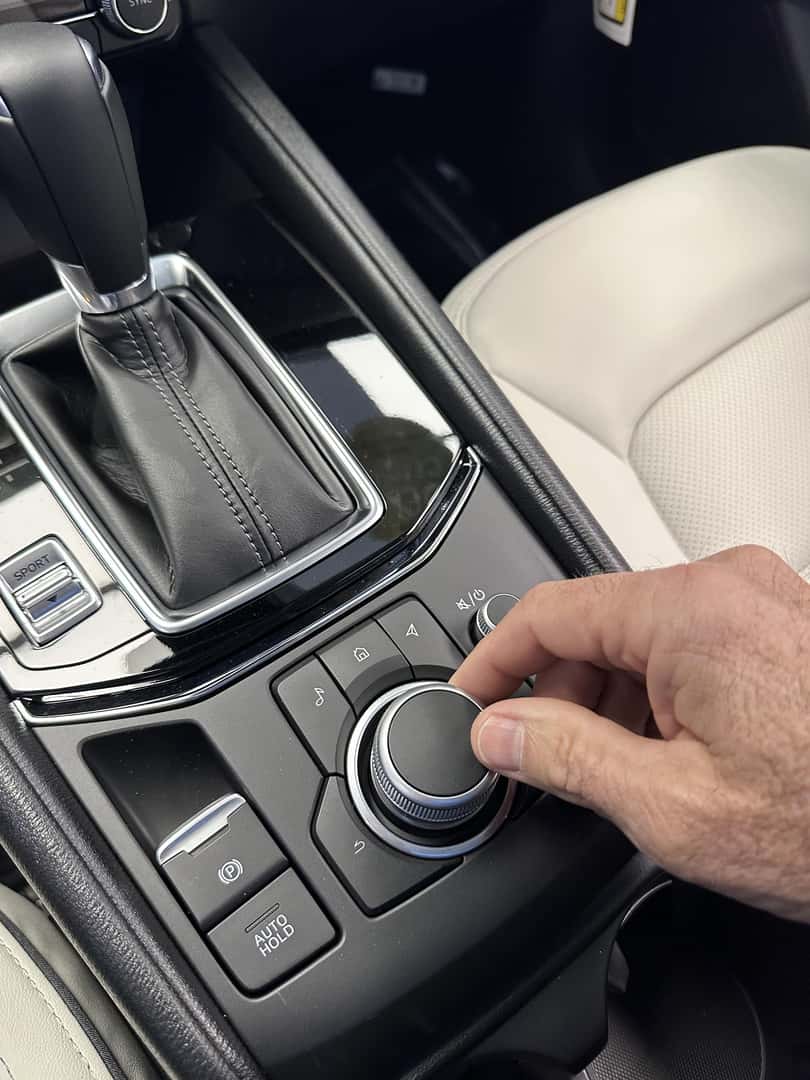
- Press the Home button on the infotainment controller
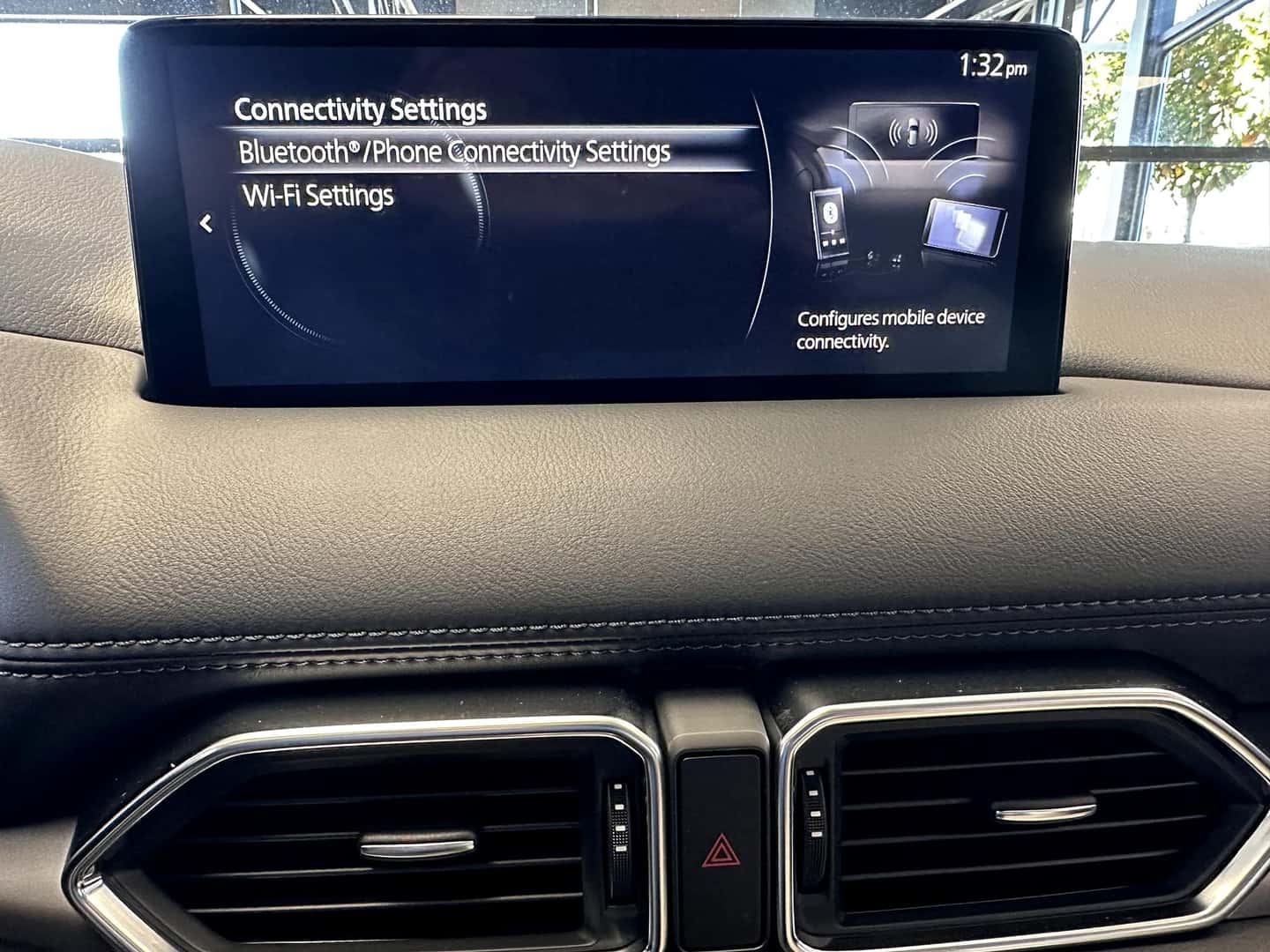
- Select Communication or Settings
- Choose Bluetooth → Add New Device
3. Select Your Mazda on Your iPhone
- Tap your Mazda vehicle name when it appears
- Confirm the matching PIN on both screens
- Allow contacts and favorites for best functionality
Once connected, your Mazda will automatically reconnect to your iPhone each time you start the vehicle.
Step-by-Step: Pairing an Android Phone to Mazda Bluetooth
1. Turn On Bluetooth on Your Android device
- Open Settings
- Select Connections or Bluetooth
- Enable Bluetooth
2. Start Pairing from the Mazda Infotainment Screen
- Press Home on the Mazda controller
- Select Bluetooth → Add New Device
3. Confirm the Pairing
- Select your Mazda on your phone
- Confirm the PIN code
- Grant permission for calls, messages, and audio
Android Auto™ may prompt automatically once Bluetooth is paired and USB or wireless support is detected.
Troubleshooting Bluetooth Issues in a Mazda
If your phone does not connect:
- Delete the Mazda from your phone’s Bluetooth list and retry
- Restart your phone
- Ensure your infotainment software is up to date
- Remove old paired devices from the Mazda system
If problems persist, the product specialists at Hello Mazda of Temecula are happy to assist in person.
Why Bluetooth Matters for Temecula Drivers
Hands-free Bluetooth connectivity improves safety, convenience, and driving enjoyment. From daily commutes on I-15 to weekend trips around Southern California, staying connected without distractions makes every drive better.
At Hello Mazda of Temecula, we believe significant ownership starts with understanding your technology, not just selling the vehicle.
—
Helpful Mazda Bluetooth & Smartphone Resources
—
Need Help Pairing Your Phone?
Visit Hello Mazda of Temecula for hands-on assistance, a test drive, or help setting up Apple CarPlay®, Android Auto™, and Bluetooth features.
More from Hello Mazda of Temecula
Test Drive the Mazda CX-5 Today
Shopping for a compact SUV should feel personal, not rushed. At Hello Mazda of Temecula, part of the Hello Auto Group, we invite drivers from Temecula, Murrieta, Wildomar, Menifee, and Lake Elsinore to get behind the wheel and see how the Mazda CX-5 fits their everyday routine. A Mazda CX-5 test drive gives you the…
Mazda Smart Brake Support for Temecula
Stop-and-go driving is a familiar part of life for many local motorists, whether the route includes Temecula Parkway, Winchester Road, the I-15, or nearby trips through Murrieta, Menifee, Wildomar, and Lake Elsinore. At Hello Mazda of Temecula, part of the Hello Auto Group, we know drivers want technology that can add confidence to everyday commuting…
Mazda CX-90 vs. Honda Pilot for Families
For Murrieta families balancing school schedules, weekend sports, fall festivals, and road trips around Southern California, the right 3-row SUV has to do more than simply provide extra seats. At Hello Mazda of Temecula, part of the Hello Auto Group, we help families compare the details that shape everyday ownership, and the Mazda CX-90 stands…
0 comment(s) so far on A Step-by-Step Guide to Pairing Your Cell Phone to Mazda Bluetooth